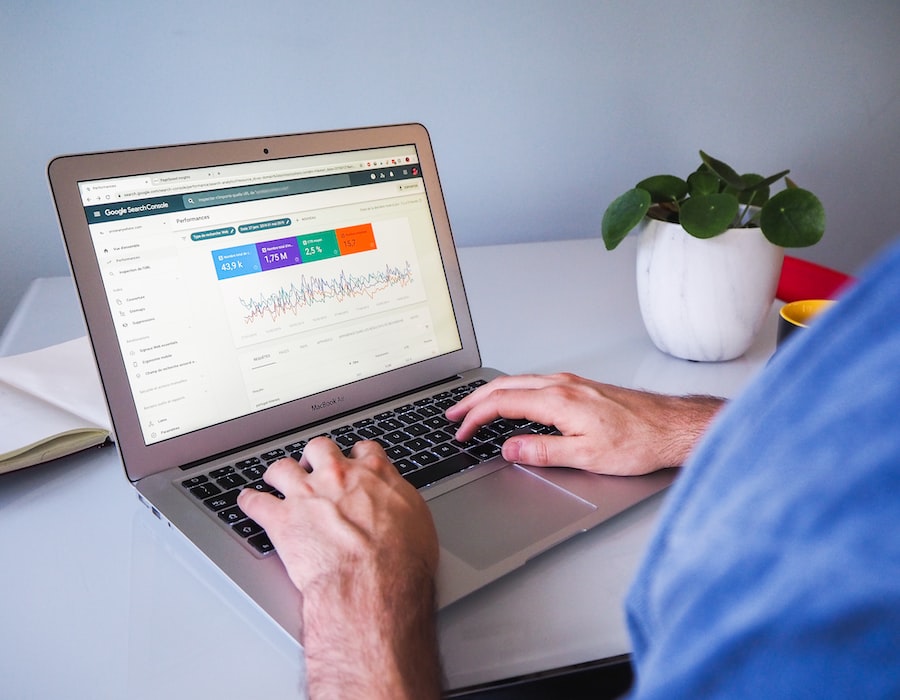
Google Seo Tools
Google SEO Tools has all of the information you need to get your website ranked quickly, and correctly.
We have the latest information from Matt Cutts and other Google top technicians. On top of that, we'll bring you the best information from people just like you that have forged the way for better rankings.
Once you understand how to rank your websites, you'll be able to apply the Traffic Accumulation Model. This is a unique model that teaches you how to accumulate traffic by building several websites across a specific niche.
To learn more about the Traffic Accumulation Model and how to apply it to your business, enter your email address in the yellow box on the right.
Good luck⦠and we'll see you at the top of Google.
How Google Crawls and Indexes Your Sites
This short video from Google tells you exactly how Google want's you to make your site accessible. It also talks about how to properly use alt-text and descriptive file names. Then it goes through the importance of titles & descriptions of your webpages and how to take care of duplicate content on your website.
How Google Discovers Your Site
Here is a good quick tutorial on how Google discovers your website, it takes you through the process of adding your URL on google, using XML Sitemaps and telling Google what not to index. Enjoy:
Google Webmaster Tools Data Changes
Matt Cutts, from Google, gives us a short overview about the information provided on the Google Webmaster Tools console...

Follow us on Twitter
Wan't to get the latest SEO news delivered right to you?, then follow us on our new twitter account @GoogleSEOTools and stay tuned....
Google Webmaster Tools Updated
Who says that Google doesn't reveal any secrets, here is Google's SEO Starter Guide. It's also available in spanish. Also, here is the Webmaster Central Blog post on the subject. Good luck!
Google Search-based Keyword Tool
Yesterday we profiled the Google Adwords Keyword Tool, today we'll profile a new Google Keyword tool that was launched not long ago. It's the Search-based Keyword Tool, it's still in beta, but delivers valuable information. First what is the difference between this keyword tool and the Adwords Keyword tool?
Taken from the Google FAQ:
The main difference between the Search-based Keyword Tool and the Keyword Tool currently in AdWords is that the former generates keyword ideas based on your website, and identifies those currently not being used in your AdWords account. Additionally, the Search-based Keyword Tool provides more detailed data for each keyword, such as category information, suggested bid that may place the ad in the top three spots of a search results page, and ad/search share.
Both tools, however, offer the option of browsing all keywords across all categories. Also according to google the Search-based Keyword Tool generates keyword and landing page ideas highly relevant and specific to your website. In doing so, the tool helps you identify additional advertising opportunities that aren't currently being used in your AdWords ad campaigns.
All you need to do is enter your website URL and any words or phrases that you'd like to compare it against and it will produce a list of related keywords including the Monthly searches on Google for that keyword.
Google Insights For Search
As with a lot of other Google Products this one is marked as "Beta", but delivers great results you won't find anywhere else. Google Insights for Search lets you compare search patterns across different regions, categories and time.
It provides search volume data and let's you narrow it down to specific categories like finance, sports, movies, etc. It will let you know how the search terms that you enter are being used geographically.
So for example if you'd like to know what are the top ten countries that search for "Wine", you could do this in about 3 seconds using Google Insights. Or if you wanted to see the search volume for "Hotels in new York" you would
get this:
Also you will get a list of Search terms that are related to your query and related Rising searches. Overall it's a great tool and there is not a drop of waste in it.
One cool feature that Google could add is the ability to save your searches into your Google Account so that you wouldn't have to redo them every time you visit the site.
Want more information about how you can use Google Insights for Search?, visit this Google FAQ.
Google Analytics
Want to know where your visitors come from? What keywords they use on google to get to your site? What browser or screen resolution they have? Where in the world are they located?. Easy, just go ahead and sign up to Google Analytics and start collecting stats.
It provides a lot more stats than the Google Webmaster Tools we profiled in an earlier post. it is complete with a lot of reports and charts easy enough to comprehend for the newbie, but powerful enough for the Power User. For now I'll just advise you to go ahead and sign up, in the future we will be doing a full review of the site and all of the reports that you have at your disposal.
Google Webmas
ter Tools SEO
The first stop for anyone looking to work their way into google is Google Webmaster Tools. First of all it's free, Google doesn't charge anything!!!!. I will cover here the basics to get you started with Google Webmaster Tools.
What is it?. It's a one-stop-shop for webmasters to get detailed reports about their visibility on Google. It will tell you what if any pages are indexed and alert you to some possible errors.
Dashboard
When you first login you will be taken to the Dashboard, where you will see a list of your sites, the number of Sitemaps you've added and if you've already Verified your site. The first step is to Verify your website, without this you won't get very far.
There are some instances where this is done automatically for you, for example if you've created a new Blog @ Blogger.com it will automatically add your blog and verify it (as long as you are using the same Google Account). In order to verify your site google provides you with a couple of options, you can either choose to add a Meta Tag to your files or create an HTML file with a specific name, either way it's pretty easy to accomplish.
I won't cover sitemaps specifically here, you can learn more about them @ DNN SEO and Blogger SEO. Just make sure you get them and add them so that Google can index your website better. Overview When you click on your website name it will take you to an overview page where you will get some pretty important information right off the bat:
As mentioned earlier you will get a list here of the errors that googlebot encounters when visiting your website. Pay close attention to the Content analysis section, here you will warnings about your page titles, descriptions and duplicate content.
Statistics
Don't expect to see any live stats, or anything close. At best the stats we get here are days old, sometimes weeks. But it does give us a glimpse into what's going on with our website. You'll have to wait a while before you get stats for the first time after you've added your website, so be patient.
First we have the Top search queries, here you will find out how your website ranks for specific user searches and which one drove traffic to your website. You also have the What Googlebot sees tab, where you will get the all of the anchor text that links back to your site that google has already indexed.
This will give you a pretty good idea of how people are linking back to you. Crawl stats indicate how much time & content Googlebot has gotten off your website and in the bottom part you will see how your pages average out in terms of PageRank, it would be a lot better if google put the actual pagerank numbers listed next to each page.
We have the latest information from Matt Cutts and other Google top technicians. On top of that, we'll bring you the best information from people just like you that have forged the way for better rankings.
Once you understand how to rank your websites, you'll be able to apply the Traffic Accumulation Model. This is a unique model that teaches you how to accumulate traffic by building several websites across a specific niche.
To learn more about the Traffic Accumulation Model and how to apply it to your business, enter your email address in the yellow box on the right.
Good luck⦠and we'll see you at the top of Google.
How Google Crawls and Indexes Your Sites
This short video from Google tells you exactly how Google want's you to make your site accessible. It also talks about how to properly use alt-text and descriptive file names. Then it goes through the importance of titles & descriptions of your webpages and how to take care of duplicate content on your website.
How Google Discovers Your Site
Here is a good quick tutorial on how Google discovers your website, it takes you through the process of adding your URL on google, using XML Sitemaps and telling Google what not to index. Enjoy:
Matt Cutts, from Google, gives us a short overview about the information provided on the Google Webmaster Tools console...
Wan't to get the latest SEO news delivered right to you?, then follow us on our new twitter account @GoogleSEOTools and stay tuned....
Google Webmaster Tools Updated
Recently Google updated it's Webmaster Tools, there are no major enhancements but they've added some new settings and organized others. Let's take a look:
The first thing we'll notice is a new tab called Settings where Google has grouped some configuration options for us.
Geographic target
If your site is meant for a specific country then you'll be able to select the geographic location, this will get you better SERPs on local searches.
Preferred domain
Here we'll also be able to select how we want Google to display our domain name, for example if we prefer www.googleseotools.net or googleseotools.net.
Image search
Here we have the ability to tell Google whether we want our images included in the Google Image Labeler.
Crawl rate
The last setting in this tab is the Crawl rate, don't confuse this with how often Google crawls your site, this only affects the speed that Googlebot uses to crawl your site and will help you avoid overwhelming your server with requests.
Google SEO Optimization Guide
Geographic target
If your site is meant for a specific country then you'll be able to select the geographic location, this will get you better SERPs on local searches.
Preferred domain
Here we'll also be able to select how we want Google to display our domain name, for example if we prefer www.googleseotools.net or googleseotools.net.
Image search
Here we have the ability to tell Google whether we want our images included in the Google Image Labeler.
Crawl rate
The last setting in this tab is the Crawl rate, don't confuse this with how often Google crawls your site, this only affects the speed that Googlebot uses to crawl your site and will help you avoid overwhelming your server with requests.
Who says that Google doesn't reveal any secrets, here is Google's SEO Starter Guide. It's also available in spanish. Also, here is the Webmaster Central Blog post on the subject. Good luck!
Yesterday we profiled the Google Adwords Keyword Tool, today we'll profile a new Google Keyword tool that was launched not long ago. It's the Search-based Keyword Tool, it's still in beta, but delivers valuable information. First what is the difference between this keyword tool and the Adwords Keyword tool?
Taken from the Google FAQ:
The main difference between the Search-based Keyword Tool and the Keyword Tool currently in AdWords is that the former generates keyword ideas based on your website, and identifies those currently not being used in your AdWords account. Additionally, the Search-based Keyword Tool provides more detailed data for each keyword, such as category information, suggested bid that may place the ad in the top three spots of a search results page, and ad/search share.
Both tools, however, offer the option of browsing all keywords across all categories. Also according to google the Search-based Keyword Tool generates keyword and landing page ideas highly relevant and specific to your website. In doing so, the tool helps you identify additional advertising opportunities that aren't currently being used in your AdWords ad campaigns.
All you need to do is enter your website URL and any words or phrases that you'd like to compare it against and it will produce a list of related keywords including the Monthly searches on Google for that keyword.

Google Insights For Search
As with a lot of other Google Products this one is marked as "Beta", but delivers great results you won't find anywhere else. Google Insights for Search lets you compare search patterns across different regions, categories and time.
It provides search volume data and let's you narrow it down to specific categories like finance, sports, movies, etc. It will let you know how the search terms that you enter are being used geographically.
So for example if you'd like to know what are the top ten countries that search for "Wine", you could do this in about 3 seconds using Google Insights. Or if you wanted to see the search volume for "Hotels in new York" you would
get this:
Also you will get a list of Search terms that are related to your query and related Rising searches. Overall it's a great tool and there is not a drop of waste in it.
One cool feature that Google could add is the ability to save your searches into your Google Account so that you wouldn't have to redo them every time you visit the site.
Want more information about how you can use Google Insights for Search?, visit this Google FAQ.
Want to know where your visitors come from? What keywords they use on google to get to your site? What browser or screen resolution they have? Where in the world are they located?. Easy, just go ahead and sign up to Google Analytics and start collecting stats.
It provides a lot more stats than the Google Webmaster Tools we profiled in an earlier post. it is complete with a lot of reports and charts easy enough to comprehend for the newbie, but powerful enough for the Power User. For now I'll just advise you to go ahead and sign up, in the future we will be doing a full review of the site and all of the reports that you have at your disposal.
Google Webmas
ter Tools SEO
The first stop for anyone looking to work their way into google is Google Webmaster Tools. First of all it's free, Google doesn't charge anything!!!!. I will cover here the basics to get you started with Google Webmaster Tools.
What is it?. It's a one-stop-shop for webmasters to get detailed reports about their visibility on Google. It will tell you what if any pages are indexed and alert you to some possible errors.
Dashboard
When you first login you will be taken to the Dashboard, where you will see a list of your sites, the number of Sitemaps you've added and if you've already Verified your site. The first step is to Verify your website, without this you won't get very far.
There are some instances where this is done automatically for you, for example if you've created a new Blog @ Blogger.com it will automatically add your blog and verify it (as long as you are using the same Google Account). In order to verify your site google provides you with a couple of options, you can either choose to add a Meta Tag to your files or create an HTML file with a specific name, either way it's pretty easy to accomplish.
I won't cover sitemaps specifically here, you can learn more about them @ DNN SEO and Blogger SEO. Just make sure you get them and add them so that Google can index your website better. Overview When you click on your website name it will take you to an overview page where you will get some pretty important information right off the bat:
- Home Page Crawl: It says whether or not googlebot has crawled your homepage
- Index Status: It will tell you if any of your pages are included in the google index and if they are included in your Sitemap.
- Web crawl errors: Here you will see a list of possible problems that the googlebot has encountered when it indexes your pages. Pay carefull attention here since some of these errors might prevent your website from being crawled correctly. You can go into more detail about his by clicking on the Diagnostics tab and then Web crawl.
As mentioned earlier you will get a list here of the errors that googlebot encounters when visiting your website. Pay close attention to the Content analysis section, here you will warnings about your page titles, descriptions and duplicate content.
Statistics
Don't expect to see any live stats, or anything close. At best the stats we get here are days old, sometimes weeks. But it does give us a glimpse into what's going on with our website. You'll have to wait a while before you get stats for the first time after you've added your website, so be patient.
First we have the Top search queries, here you will find out how your website ranks for specific user searches and which one drove traffic to your website. You also have the What Googlebot sees tab, where you will get the all of the anchor text that links back to your site that google has already indexed.
This will give you a pretty good idea of how people are linking back to you. Crawl stats indicate how much time & content Googlebot has gotten off your website and in the bottom part you will see how your pages average out in terms of PageRank, it would be a lot better if google put the actual pagerank numbers listed next to each page.